 |
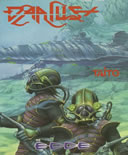
Darius Plus » Amiga |
Select Play Mode |
Keywords: Horizontal Scrolling, Shootemup
Series: darius
Rating: Not rated yet
No Scores
Back to the Arcade |
arcadeOX Full Mode » recommended! (fastest and most features)
arcadeOX Score Mode » Not supported in this game.
Java Full Mode » Not supported in this game.
Java Lite Mode » Not supported in this game.
 (click an option above to start the game) (click an option above to start the game) |
| The Object of Darius Plus |
Successfully navigate through the various stages while picking up powerups and avoiding obstacles.
Defeat enemy bosses at the end of each stage to advance to the next.
On the opening screen, use Mouse to select game cheats, Right click to activate or Left click to deactivate, then Left click 'Start game'.
Note:
The company logo is displayed for approximately 10 - 15 seconds while the game finishes loading, and this is normal.
Press Right Ctrl to advance to the next screen, then again to go to level select screen, and once more to start the game.
Note:
Level select screen does not function and you must start on the first stage.
Use Cursor keys to move ship up, down, forward, backward.
Press Right Alt or Ctrl to fire.
Note:
When your ship is hit, it freezes in place until you press either Right Alt or Ctrl to continue playing, and this is normal. |
| The Keys |
F1 = music
F2 = FX
F3 = toggle music and FX
1 -9 = select skill level
Mouse = select cheats
Left click = decision
Cursor keys = move up, down, forward, backward
Right Alt or Ctrl = fire |
All times are GMT -5. The time now is 04:58 PM.


